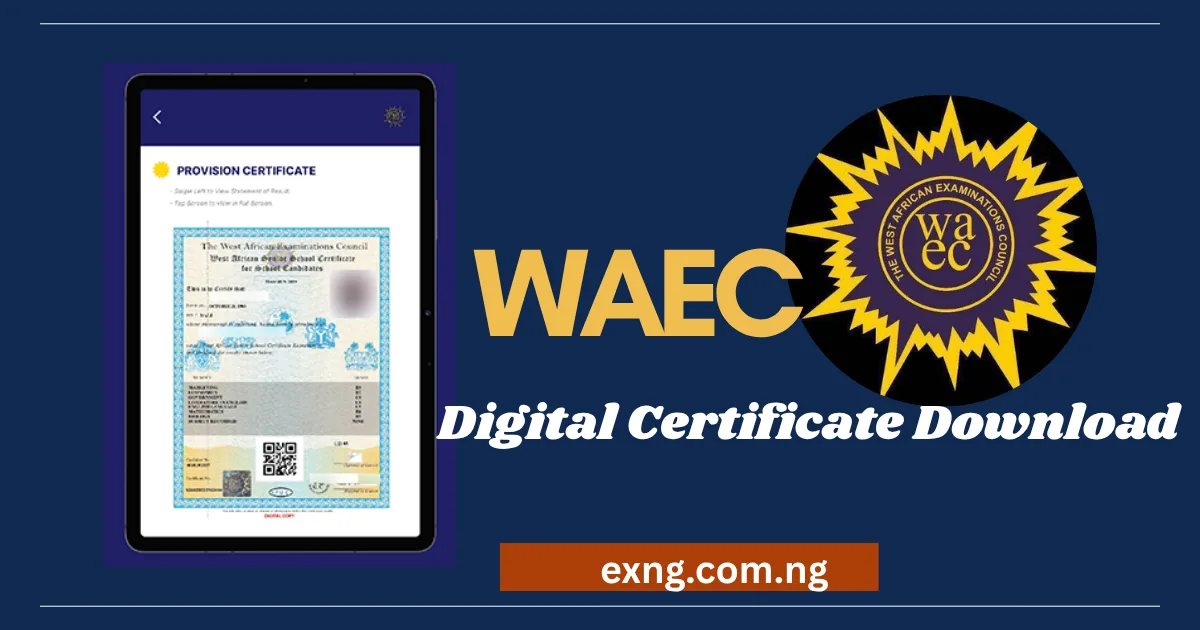
How to Download WAEC Digital Certificate: A Step-by-Step Guide
There was a time when losing your WAEC certificate felt like a small disaster. You would hear stories of people traveling across states, queuing for hours at a WAEC office, and waiting weeks just to get a replacement letter. That entire headache has largely disappeared.
With the WAEC Digital Certificate Services platform, commonly known as WAEC DigiCert, now fully rolled out across Nigeria, Ghana, Liberia, Sierra Leone, and The Gambia, you can pull up a verified copy of your certificate from your phone or laptop, often within minutes.
If you’ve never used the platform before, the process can feel a little unfamiliar the first time. This guide breaks it down clearly, from creating your account to actually getting that PDF on your device, so you know exactly what to expect before you start.
What Exactly Is WAEC DigiCert, and Why It Matters
WAEC DigiCert is the council’s official web and mobile platform that lets candidates access, request, and share digital versions of their original certificates. Instead of relying solely on a paper certificate that can be lost, damaged, or burnt, your record now lives securely on WAEC’s system and can be retrieved whenever you need it.
What makes this especially useful is that the digital copy is not a watered down substitute. It is designed to mirror the physical certificate and carries the same verification weight when institutions check it through WAEC’s confirmation system. Universities, employers, and embassies can independently verify the document in real time, which actually makes the digital version more trustworthy in some situations than a paper copy that has to be physically authenticated.
What You Will Need on Hand Before You Start The Processing
A little preparation goes a long way here, because the platform will reject your request at almost every step if a single detail is missing or doesn’t match WAEC records.
You will need a working email address, since this is how the platform sends your one-time verification code and account confirmation. You will also need your WAEC examination number, the exam year, and the exact exam type, whether that’s WASSCE for school candidates, WASSCE for private candidates, or a GCE sitting.
Finally, you will need a means of identity verification, which is typically your National Identification Number, your Bank Verification Number, or your international passport number, depending on what is requested at the verification stage.
If you’ve genuinely forgotten your candidate number, don’t worry, the platform has a built-in recovery option, though it usually comes with a small fee to process the lookup using your other personal details.
How to Download WAEC Digital Certificate (Step-by-step)
Step One: Creating Your Account on the Platform
Head over to the official WAEC website and look for the certificate access or “Certificate Platform” section. From there, you will be prompted to create a new account using your email address. After entering your details, you will receive a verification code by email, which you are going to use to confirm the account and set a password.
This step matters more than people expect. Use an email address you check regularly and can access long-term, since this account becomes the permanent home for your certificate records going forward, not just a one time login.
Step Two: Filling Out Your Certificate Request
Once you are logged in, you are going to see a form asking for your exam details. Enter your exam year, select the correct exam type from the dropdown, and input your candidate number exactly as it appears on your original documents. Small errors here, like an extra digit or the wrong exam type, are one of the most common reasons people get stuck, so it’s worth double checking everything before submitting.
After submitting your exam details, the system will ask you to verify your identity using your NIN, BVN, or passport number. This step exists to confirm that the person requesting the certificate is genuinely the person it belongs to, which protects against fraudulent access to someone else’s academic records.
Step Three: Funding Your Wallet and Paying the Access Fee
WAEC DigiCert runs on a digital wallet system rather than a simple one-time payment screen. You are going to need to fund your wallet using a card, bank transfer, or USSD payment, after which the platform deducts the required units to process your certificate access. If your payment doesn’t reflect immediately, logging out and back in usually resolves it before you try anything more drastic like repeating the transaction.
Exact costs have varied as the platform has matured, with some users reporting a flat access fee and others working through a unit-based system depending on the service requested. Because pricing structures get adjusted from time to time, it’s worth checking the live pricing on the platform itself right before you pay, rather than relying on figures from an older blog post or forum thread.
Step Four: Downloading and Saving Your Certificate
Once payment is confirmed, your certificate becomes available to view directly on the platform, and you can download it straight to your device as a PDF. This is the moment most people have been waiting for, and it genuinely happens in minutes rather than days.
Once it’s downloaded, don’t just leave it sitting in your phone’s downloads folder. Save a copy to cloud storage like Google Drive or iCloud as well, so you are never caught out if your device is lost, stolen, or wiped. If you need a physical copy for a particular application, print it on good quality paper, since the digital version is designed to look exactly like the original.
Few Issues That Could Occur During The Process
A few issues come up often enough that they’re worth addressing directly. If your certificate doesn’t appear after you’ve entered everything correctly, double check that you’ve selected the right exam type, since school candidate and private candidate records are stored separately, and selecting the wrong one will return no results even though your record exists.
If your certificate was withheld by WAEC for any reason, such as an unresolved examination malpractice case, it simply won’t be accessible or verifiable on the platform until that issue is resolved through the appropriate WAEC office. No amount of retrying the download will fix this, because the restriction sits at the records level, not the platform level.
It’s also worth knowing that the digital portal isn’t built to fix name or date of birth errors. If your certificate has a name discrepancy compared to your current ID documents, you will need to go through WAEC’s separate correction process at a national or state office, since DigiCert only retrieves what’s already on record rather than editing it.
My Advice for Older Certificates (1990’s there about)
If you sat your exams a long time ago, you might wonder whether your record even exists on the digital system. Generally, the platform is built to recover certificates going back to the late 1990s, and many users have successfully pulled up records from over two decades ago on their very first attempt. If your older certificate genuinely doesn’t appear despite entering correct details, reaching out to WAEC support directly is a faster route than repeatedly trying the form, since some very old or transferred records occasionally need manual lookup on their end.
You can also read some of our WAEC articles here:
- How to Correct Name on Your WAEC Certificate 2026
- When Will WAEC 2026 Result Be Out? See Latest Update Here
- How to Pass WAEC 2026 in One Sitting (Proven Guide)
- When Is Junior WAEC Starting 2026?
- Can WAEC Result Be Used Twice for Admission in 2026?
- WAEC Minimum Credits Required for University Admission 2026
- WAEC Result Withheld: Meaning, Causes & What to Do in 2026
- WAEC Grading System 2026/2027 Academic Session
- WAEC 2026 Timetable PDF Download (For All Subjects)
- NECO 2026 Result Release Date: When Will Results Be Out?
- Universities Accepting Awaiting Result for Admission 2026/2027 Academic Session
- How to Check JAMB Results 2026 (Result Checker Portal)
- When Is NECO Exam Starting in 2026?
- NECO CBT Exam Format 2026: Everything You Must Know
- NECO 2026 Result Release Date: When Will Results Be Out?
- JAMB Mop Up Exam Slip Printing 2026
- JAMB CAPS Portal 2026: How to Accept or Reject Admission
- JAMB Change of Course and Institution 2026
- JAMB 2026 Profile Code: How to Create and Fix Common Errors
Conclusion
The shift to WAEC DigiCert has quietly solved one of the most frustrating problems Nigerian and West African students used to face after graduation. What once meant lost weeks and physical travel now takes a stable internet connection and about fifteen minutes of focused effort. The trick is simply having your details ready, exam number, exam year, exam type, and identity verification document, before you sit down to start, so you are not scrambling halfway through the process.
If you are just doing this for the first time, it’s worth checking the WAEC website directly for the current fee structure before you fund your wallet, since digital platforms like this tend to get small updates over time that older articles may not reflect.
2 thoughts on “How to Download WAEC Digital Certificate: Check Step-by-Step Guide”